Configuration Guide
This guide covers all configuration options for the Pi-hole Card, from basic setup to advanced customization.
Table of Contents
- Basic Configuration
- Finding your
device_id - Configuration Options
- Action Configuration
- Sections, filtering, and ordering
- Pause configuration
- Chart configuration
- Feature flags
- Examples
Basic Configuration
The most minimal configuration requires only the device id:
For multiple Pi-hole instances:
Finding your device_id
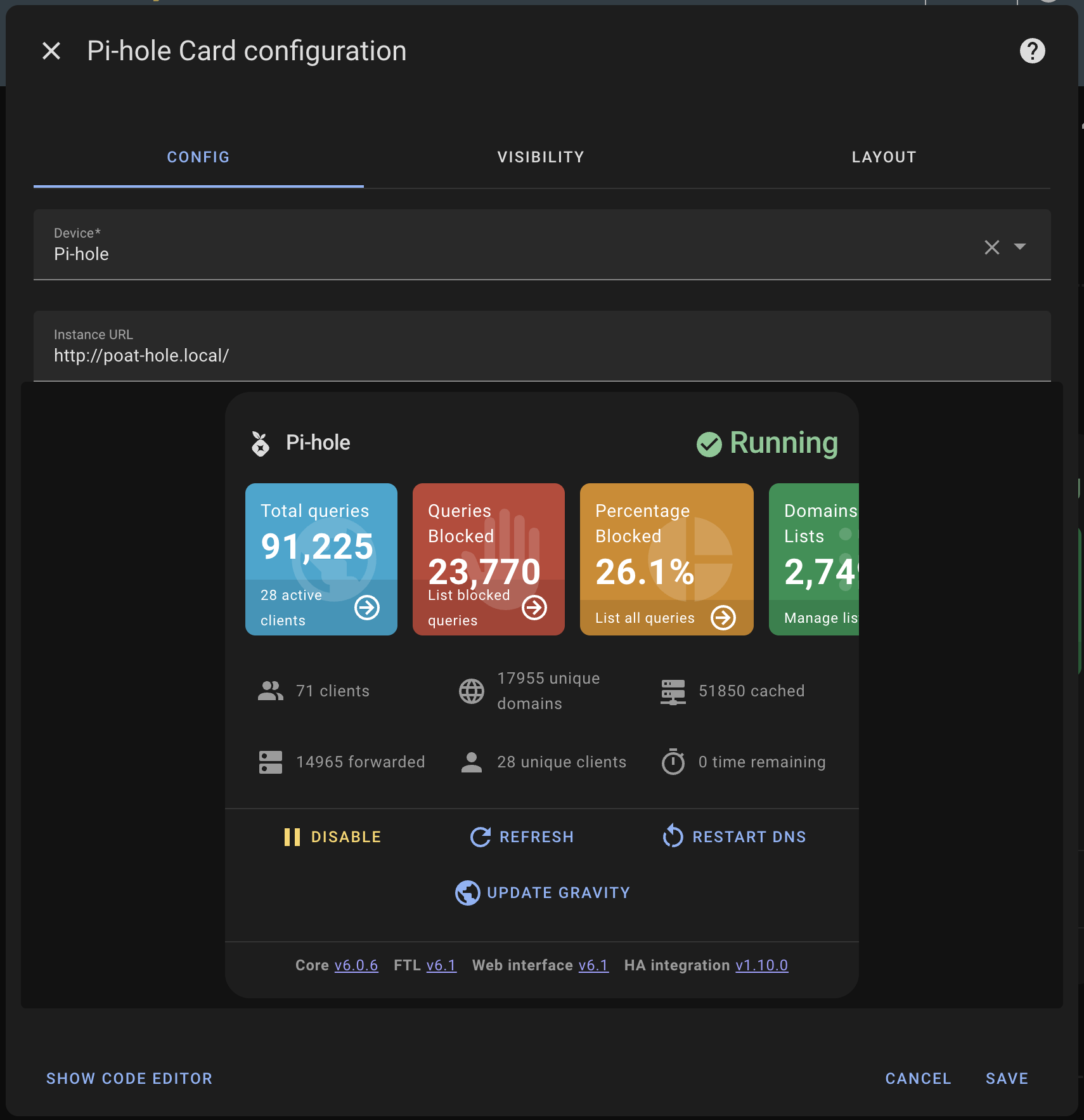
Method 1: Use the Card Editor (Recommended)
- Add the card through the visual editor
- Select your Pi-hole device from the dropdown
- Click "Show Code Editor" or "View YAML" to see the generated configuration
- Copy the
device_idvalue for use in manual YAML configuration
Method 2: Devices Page
- Go to Settings → Devices & Services → Devices
- Search for "Pi-hole" or browse to find your Pi-hole device
- Click on the device and look at the URL - the device ID will be in the URL path