Cleaning reminder
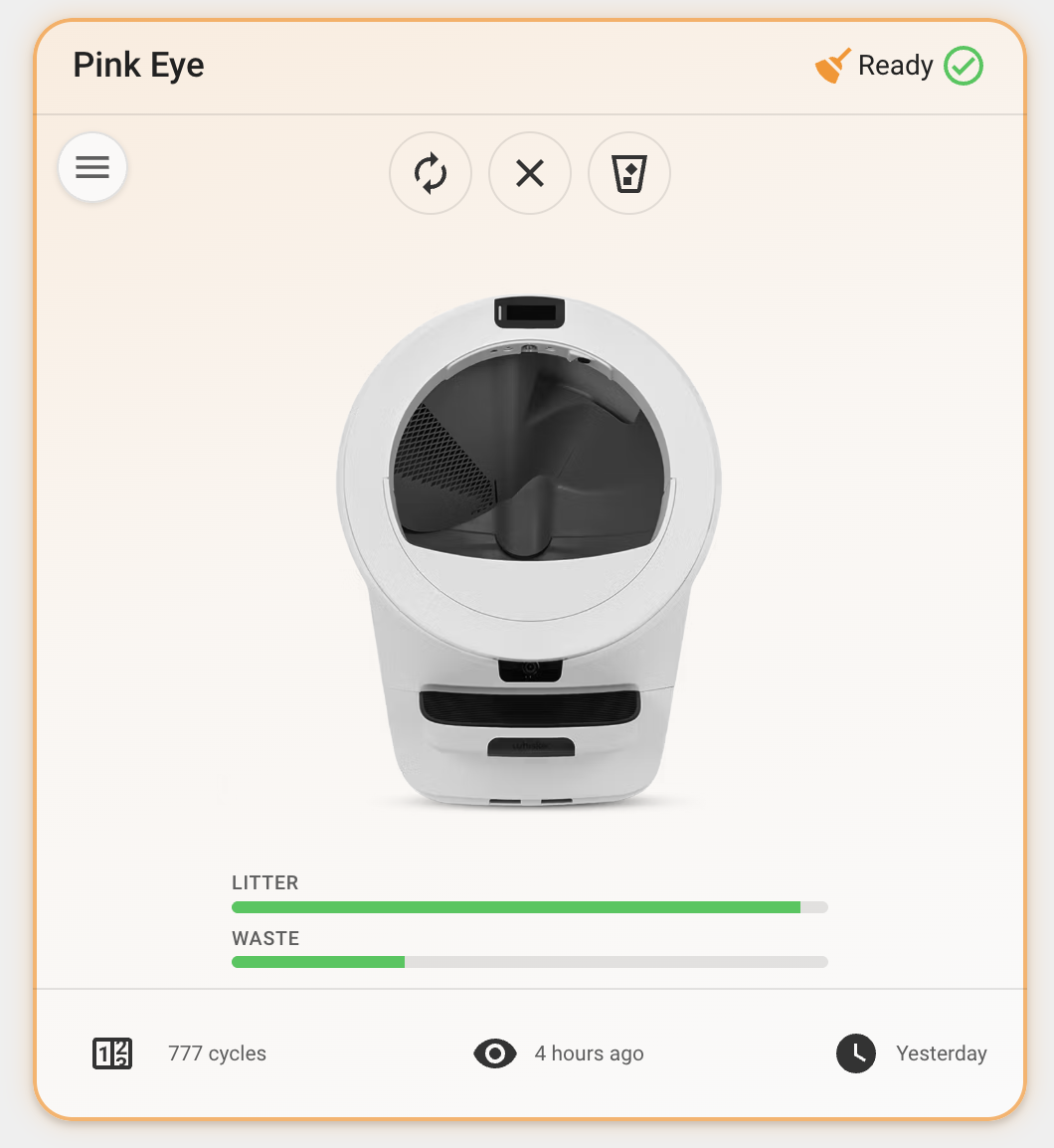
The card can surface a "this unit needs cleaning" reminder. Point the card at any
on/off-style entity with the cleaning_entity option; when that entity is
active, the card shows a header badge (mdi:broom, warning color) next to the
status icon and adds a soft warning-colored glow around the whole card.
type: custom:whisker-card
device_id: YOUR_DEVICE_ID
cleaning_entity: input_boolean.litter_robots_needs_cleaned
What counts as "active"
The card uses Home Assistant's standard stateActive logic, so the right thing
happens per domain:
| Domain | Active when |
|---|---|
input_boolean |
state is on |
binary_sensor |
state is on |
switch |
state is on |
alert |
state is on or off (only idle is inactive) |
The alert case is intentional: an alert's off state means it was acknowledged
but the underlying condition is still active, so the reminder stays visible until
the alert returns to idle.
Marking it clean
Tapping the badge opens the standard Home Assistant more-info dialog for the
configured entity. Tip: point cleaning_entity at the input_boolean flag
(rather than the alert) so you can toggle it off — i.e. mark the unit clean —
straight from that dialog.
Build the full reminder loop
Here is a generalized version of a calendar-driven reminder that turns the badge on automatically and stays on until you mark the unit clean. Adjust names/icons to taste. This mirrors a real setup — see the live YAML in the public Home Assistant config:
1. A flag (the "needs cleaned" boolean)
# configuration.yaml -> input_boolean:
input_boolean:
  litter_robots_needs_cleaned:
    name: Clean Litter Robots
    icon: mdi:cat
2. A schedule (Local Calendar)
Add the Local Calendar integration (Settings → Devices & Services → Add
Integration → Local Calendar) and create a calendar, e.g. calendar.litter_robots.
Add a recurring event for each time the unit should be cleaned.
3. An automation: calendar event start → turn the flag on
# automations.yaml
alias: Litter Robot Cleaning Reminder
trigger:
  - trigger: calendar
    event: start
    entity_id: calendar.litter_robots
action:
  - action: input_boolean.turn_on
    target:
      entity_id: input_boolean.litter_robots_needs_cleaned
4. (Optional) An alert that nags until you mark it clean
# configuration.yaml -> alert:
alert:
  clean_litter_robots:
    name: Clean Litter Robots
    entity_id: input_boolean.litter_robots_needs_cleaned
    state: 'on'
    title: 🐱 Clean Litter Robots!
    message: Clean the litter robots.
    repeat: 300
    notifiers:
      - mobile_app_your_phone
5. Mark clean
When you have cleaned the unit, toggle
input_boolean.litter_robots_needs_cleaned off. That clears the alert and
removes the card badge + glow until the next calendar event turns the flag back on.
Tap the badge on the card (with cleaning_entity pointed at the boolean) to open
its more-info dialog and flip it off right there.