Examples
Minimal
Custom title
Robot color
The model (Litter-Robot 4 / 5 / 5 Pro / Evo) is auto-detected; pick the color to match your unit (white is the default).
Gauge percentages
Illustrated levels
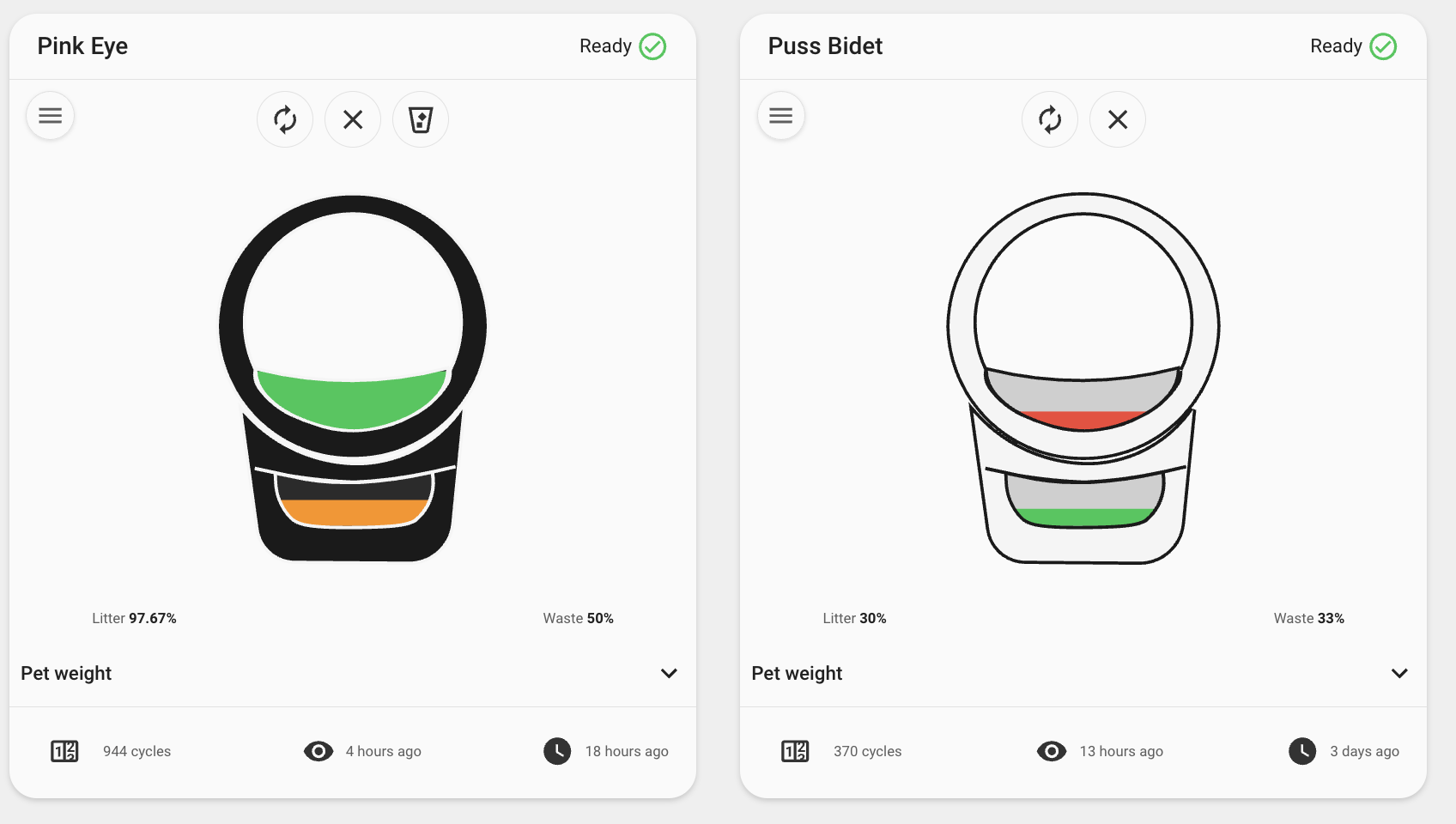
Use the opt-in illustration (litter/waste zones that fill in proportion to their level) instead of the marketing image and thin bars:
Mini layout
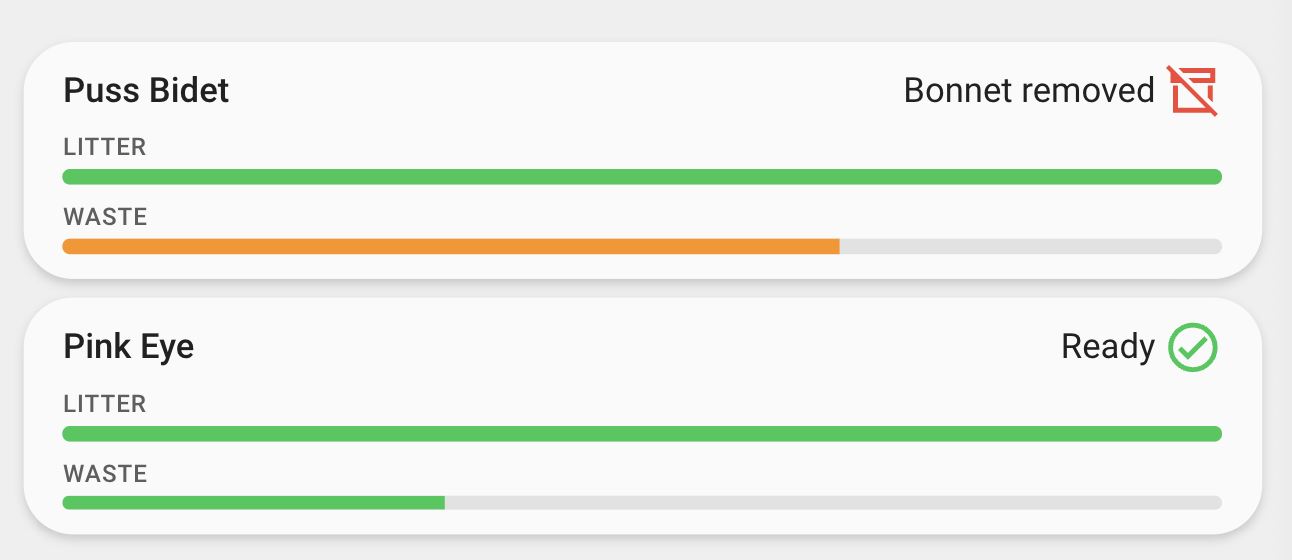
A compact card for wall-mount dashboards — name, status, and the two gauges.
Mini pairs well with gauge percentages and a cleaning reminder:
type: custom:whisker-card
device_id: YOUR_DEVICE_ID
mini: true
title: Upstairs
cleaning_entity: input_boolean.litter_robot_needs_cleaning
features:
- percentage
Pet weight history graph
Auto-detects per-cat weight sensors. List them explicitly to control which appear:
type: custom:whisker-card
device_id: YOUR_DEVICE_ID
chonk:
  graph_type: history
  kitties:
    - sensor.tuna_weight
    - sensor.mittens_weight
  hours_to_show: 168
Pet weight statistics graph
Plots long-term statistics (mean/min/max) — great for spotting trends over weeks or months. This is the default for new cards added through the dashboard UI:
type: custom:whisker-card
device_id: YOUR_DEVICE_ID
chonk:
  graph_type: statistics
  days_to_show: 30
  period: day
  stat_types:
    - mean
    - max
    - min
  chart_type: line
Stacked line chart:
type: custom:whisker-card
device_id: YOUR_DEVICE_ID
chonk:
  graph_type: statistics
  chart_type: line-stack
  stat_types:
    - mean
Hide the graph entirely:
Pet visits graph
Auto-detects the per-cat visits_today sensors and plots daily totals as bars — no configuration needed. To pick specific cats and a shorter window:
type: custom:whisker-card
device_id: YOUR_DEVICE_ID
visits:
  kitties:
    - sensor.tuna_visits_today
    - sensor.mittens_visits_today
  days_to_show: 14
  chart_type: bar
Watch the last couple of days hour by hour with the history graph instead:
Hide the visits graph entirely:
Collapsible graphs
Keep both graphs on the card but start them closed, so the card stays compact:
Custom footer
Order matters:
type: custom:whisker-card
device_id: YOUR_DEVICE_ID
footer:
  - total_cycles
  - status_changed
  - pet_weight
  - last_seen