Pet card
whisker-pet-card is a separate card for your cats. The Litter-Robot integration reports weight and visits for each pet, so with more than one Litter-Robot every robot card repeats the same cat data. The pet card shows it once.
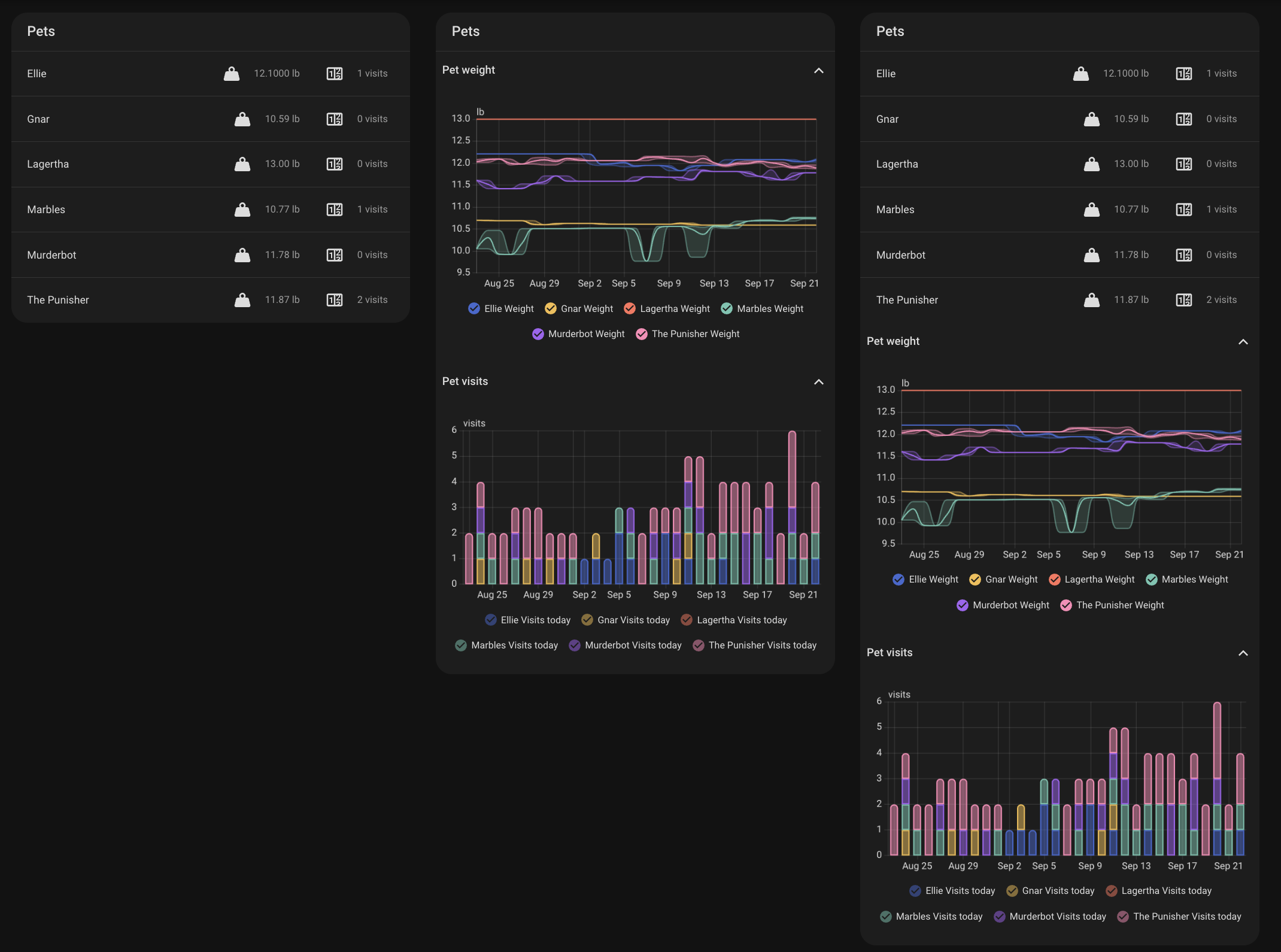
That's the whole config. The card picks up every pet the integration reports and lists each cat's current weight and visits today. Tap a value to open its more-info dialog.
The screenshot shows the three display values, left to right: states, graphs, and both.
Options
| Option | Type | Description |
|---|---|---|
title |
string | Optional. Card heading. Defaults to "Cats". |
pets |
string[] | Optional. Home Assistant device ids of the pets to show. The visual editor lists them by name. When omitted, the card shows every pet. |
display |
string | Optional. states (default) lists each pet's current values, graphs shows the weight and visits graphs, and both shows the list first. |
chonk |
object | Optional. Pet weight graph options, the same as the robot card's chonk. Used when display is graphs or both. |
visits |
object | Optional. Pet visits graph options, the same as the robot card's visits. Used when display is graphs or both. |
The card names each pet after its device. Rename the device in Home Assistant and the card shows the new name.
Examples
States and graphs together
One cat, graphs only
Pick the pet in the visual editor, or paste its device id:
60 days of mean weight, visits collapsed
type: custom:whisker-pet-card
display: both
chonk:
  graph_type: statistics
  days_to_show: 60
  stat_types:
    - mean
visits:
  collapsed: true
Using it with the robot card
The robot card still shows both graphs. To show the cat data only on the pet card, hide the graphs on each robot card:
Both cards read the same litterrobot integration entities, so there's nothing else to set up.